
Thank you for choosing Kinoserver, and congratulations for your purchase. On this page you will find the instructions and links necessary to simply setup your Kinoserver.
Important: As standard for server machines, Kinoservers MUST be connected to an ups device. Failure to comply will invalidate the server's warranty.
For the recommended UPS models, refer to the Kinoserver support when purchasing.
Download the Kinoserver Manager software from the following links: Windows - MAC - Linux
Enable the video server (Plex) by creating a free account :
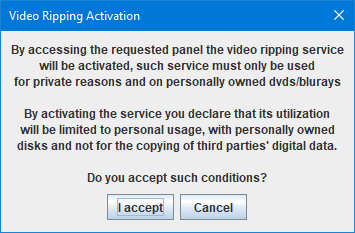
To enable the video ripping service, access in KinoServer Manager the video ripping options and accept the conditions as presented in the following image:
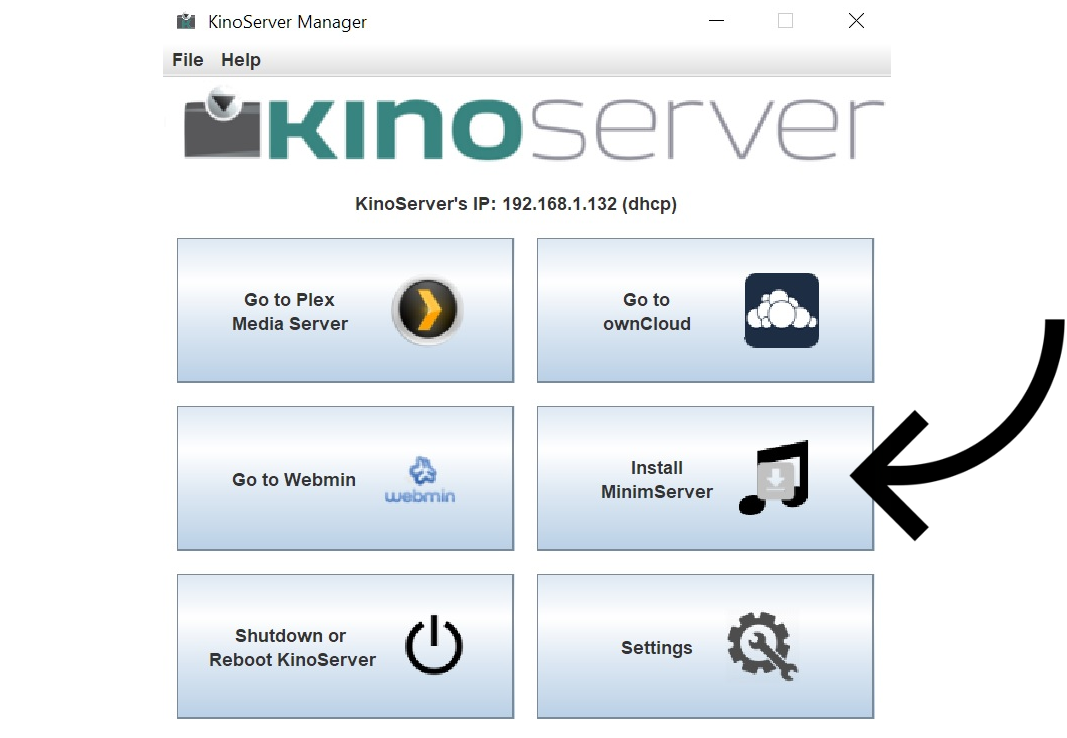
To finalize the music management software, simply click on the "Install MinimServer" button on the Kinoserver Manager. After a few seconds the Kinoserver will restart and the software will be enabled.
Create bookmarks of the various services to simplify their access in the future :
Create one or more video libraries :
Select the preferred language for video ripping :
Consult the User Manual in PDF format : FILE
How to check and possibly update the video server (Plex) :
How to connect a NAS or another media server to Kinoserver :
Roon management :
For any clarification or information write to : info@kinoserver.net